



 Google
 Facebook
 Apple
Apple

RETURN INTHE HEYCHIC
Whether you are shopping from within Australia or internationally, you can follow this Return Guide. Please note that the procedure differs slightly at Step 7.


1
Check Your Package Status.
Go to Account - My Orders - Shipped, check your package status. If received, mark as 'Delivered'.


2
Click 'Receive' To Confirm Delivery.
If the item has arrived, click 'Receive' to confirm delivery.


3
Enter The Details Page.
In the Delivered list, click on the item you wish to return to enter the details page.
4
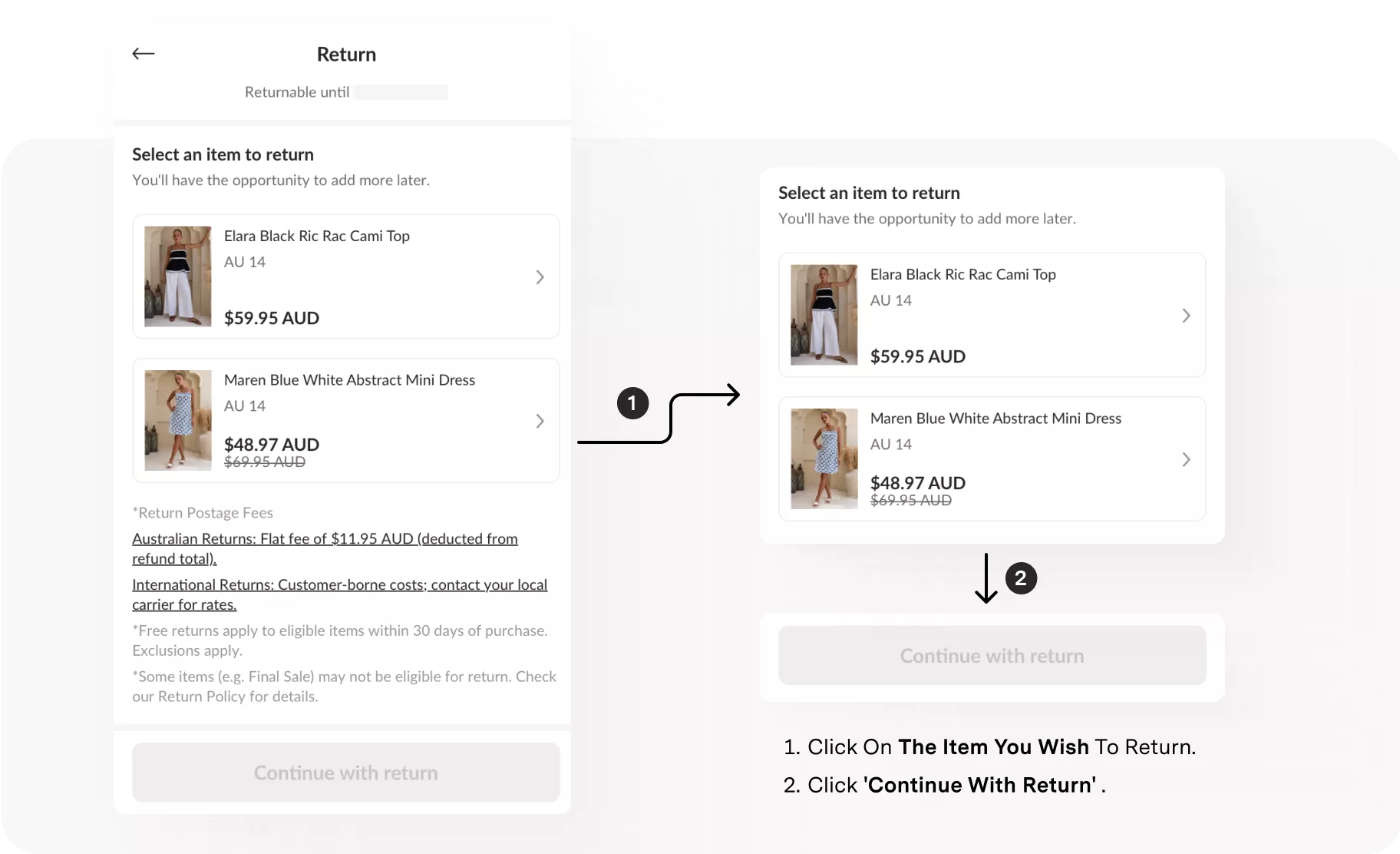
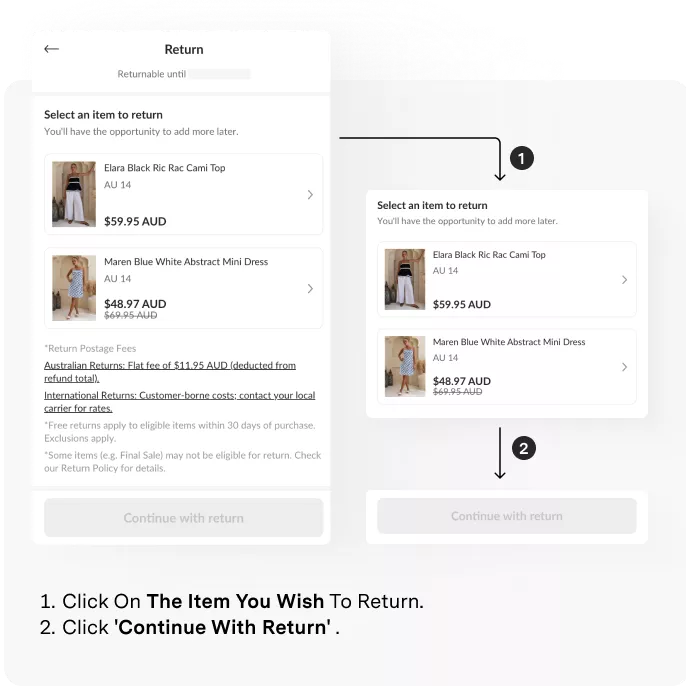
Click On The Item You Wish To Return.
Click on the item you wish to return. Click 'Continue with Return'.
5
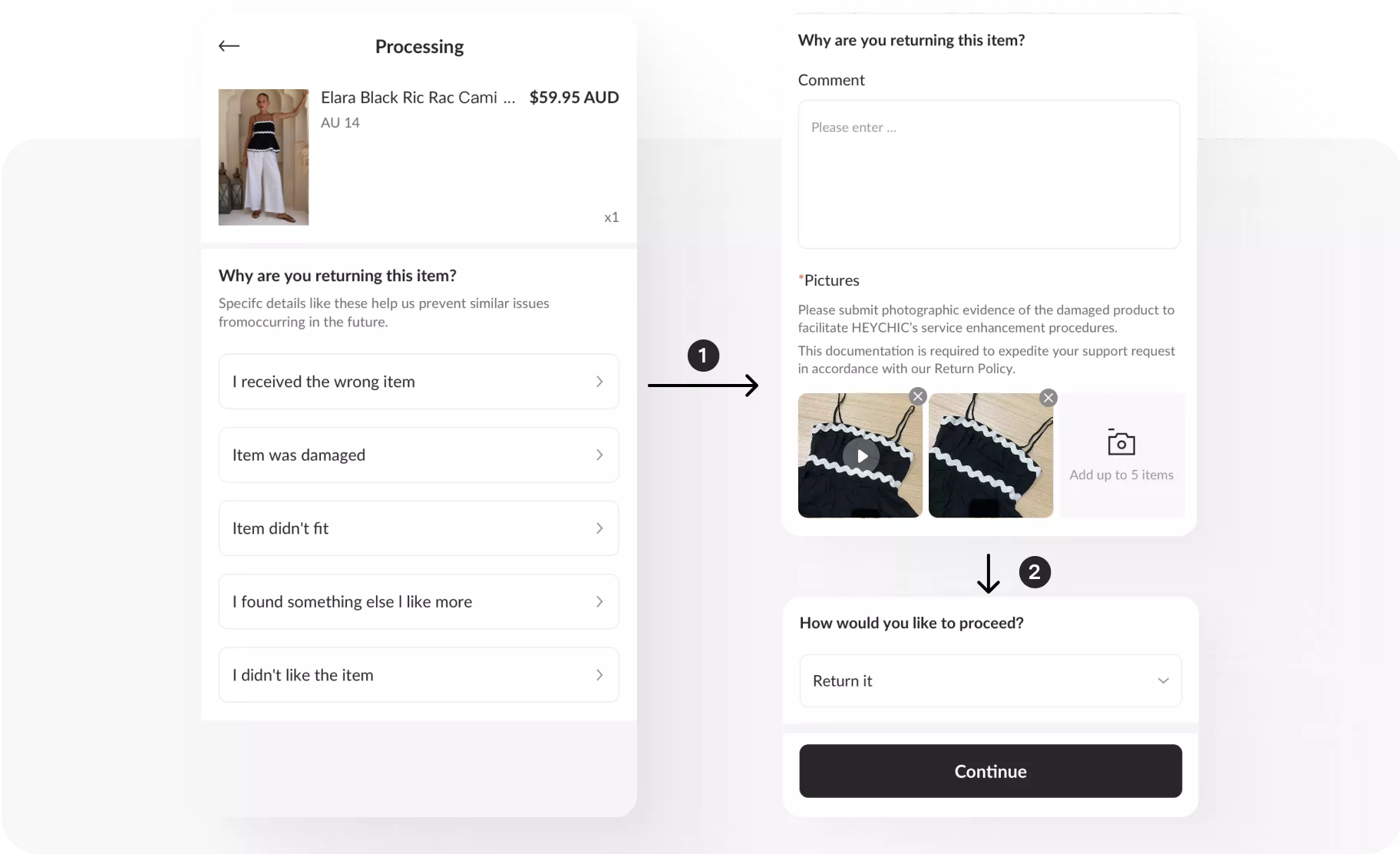
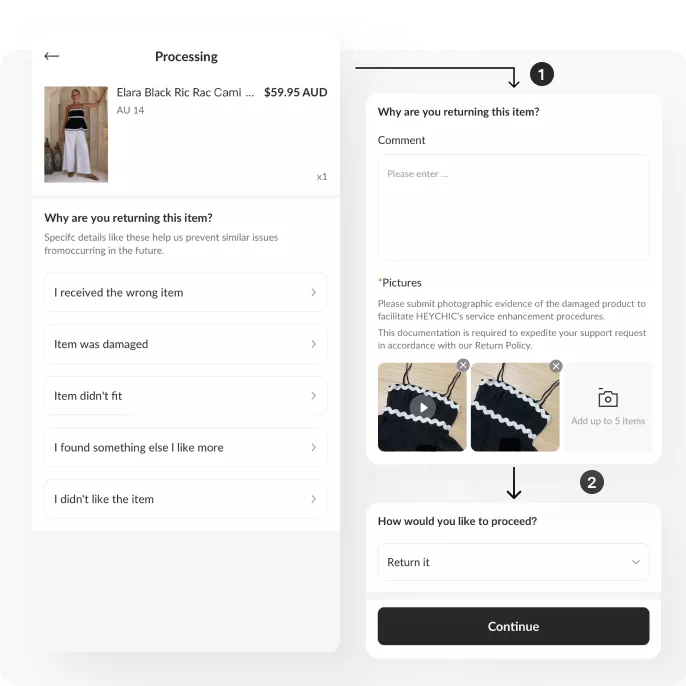
Select A Return Reason.
Select a return reason. Fill in the return reason.
6
Process Additional Returns.
Repeat the previous steps to process returns for other items.


7
Return Label.
Domestic Customers:
Download the official HEYCHIC return label.
Download the official HEYCHIC return label.
International Customers:
Upload your return shipping label.
Upload your return shipping label.


8
Complete The Return.
Go to [Returns] to track all refund requests and shipping updates.